graphic_eqFor sound designers & game devs

Pick the perfect sound,
in seconds

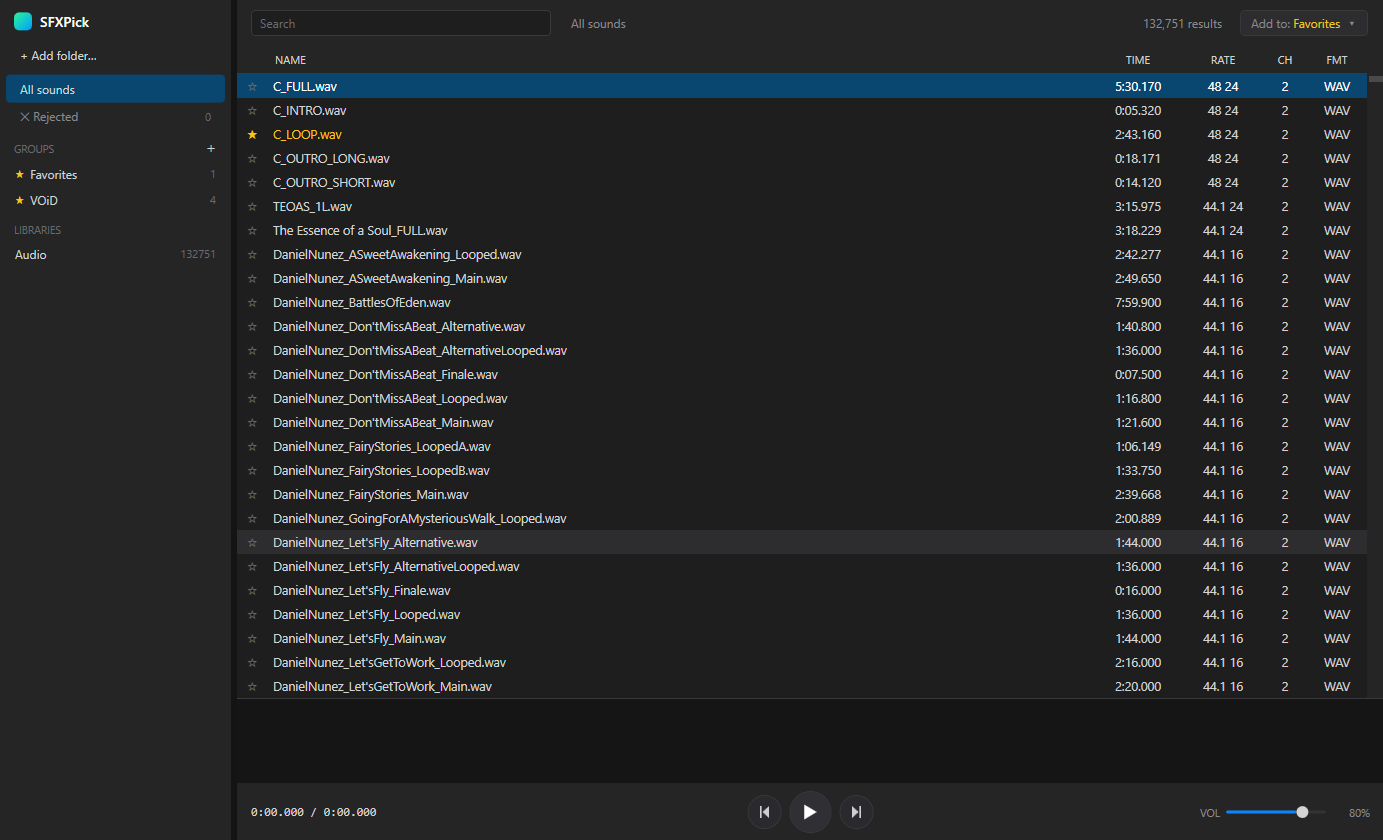
Point SFXPick at a folder and blitz through thousands of clips with the keyboard. Instant playback, real waveforms and one‑key favorites, built to fly through libraries of 100,000+ files.

Free · Local · No account. Plays everything — including 24‑bit/32‑bit WAV that browsers choke on.
The SFXPick app: a dark, dense list of audio files with a waveform and transport bar at the bottom
Features

Built for one job: picking the best sound

No tagging chores, no cloud, no bloat. Just point it at your library and start auditioning.

create_new_folder

Index any folder

Point it at a folder and it scans every subfolder, reads duration, sample rate, bit depth and channels.

bolt

Instant audition

Arrow up and down the list and each sound plays the moment you land on it. No clicking play.

graphic_eq

Real waveforms

See the shape of every clip and click or drag the waveform to scrub to any spot.

library_music

Plays everything

A native audio engine handles 24‑bit, 32‑bit and float WAV, FLAC, MP3, AIFF, M4A and more.

star

Favorites & notes

Hit F to favorite, or D to favorite with a note. Build a shortlist as you go.

do_not_disturb_on

Cull the duds

Press X to reject a clip and clear it out of the way, so only contenders remain.

search

Search & folder tree

Filter by name instantly, or browse pack by pack with a nested folder tree in the sidebar.

speed

Built for scale

Tens of thousands of files stay snappy. Tested on a real library of ~147,000 sounds.

drive_folder_upload

Export your picks

Copy every favorite into a folder in one click, with a notes file alongside. Originals stay put.

How it works

From folder to favorites in four steps

The whole loop is designed so your hands never have to leave the keyboard.

1

Add a folder

Drop in your sample packs or SFX library. SFXPick indexes it in the background.

2

Arrow & listen

Move through the list with ↑/↓ — every clip auto‑plays so you hear it instantly.

3

Favorite or reject

F to keep, D to note, X to toss. Narrow thousands down to a shortlist.

4

Export the winners

Send your favorites to a folder, ready to drop straight into your project.

Native app

Small, native and fully offline

SFXPick is a native Windows app — not a browser wrapper. That means a proper audio engine, low latency, and formats the web simply can't play.

  • check_circlePlays pro formats browsers refuse — 24/32‑bit & float WAV
  • check_circleWorks completely offline; your audio never leaves your machine
  • check_circleRead‑only by design — it never moves or changes your files
  • check_circleHandles 100,000+ files without breaking a sweat
starCoin Collect C.wav0:01.120
starSword Swing 04.wav0:00.640
graphic_eqExplosion Big 02.wav0:03.400
starUI Click A.wav0:00.180
Keyboard‑first

The whole workflow, on the keys

Learn five shortcuts and you'll never reach for the mouse again.

Move & auto‑play /
Play / pauseSpace
Seek ±2s /
FavoriteF
Favorite with a noteD
Reject / hideX
Focus search/
Scrub the waveformclick or drag
FAQ

Questions, answered

The quick facts about how SFXPick works.

Is SFXPick free?

Yes — free, with no account and no sign‑up. Download it and point it at a folder.

What platforms does it run on?

Windows, as a small native desktop app. The desktop runtime is tiny and there's no Chromium or Node under the hood.

Which audio formats are supported?

WAV (including 24‑bit, 32‑bit and float), FLAC, MP3, AIFF, M4A/AAC and more — formats browser‑based tools often can't play.

How many files can it handle?

Designed for huge libraries — it's been run on a real collection of around 147,000 sounds and stays fast.

Will it move or change my files?

No. SFXPick is read‑only. The only time it copies anything is when you explicitly export your favorites to a folder.

Where is my data stored?

Locally. The index and your favorites live in a small local database on your machine. Nothing is uploaded anywhere.

Stop scrubbing through folders

Audition your whole library the fast way. Download SFXPick and find the one in minutes.